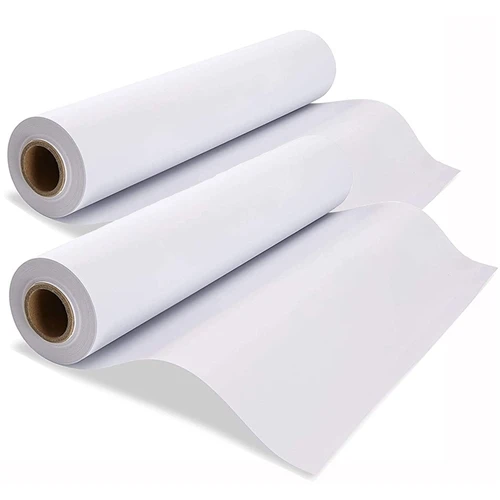
When it comes to using 80gsm Sticky Sublimation Paper, one of the most common issues that users face is the formation of air bubbles. These air bubbles can significantly affect the quality of the sublimation print, leading to uneven color distribution and a less professional finish. As a supplier of 80gsm Sticky Sublimation Paper, I understand the frustration that these air bubbles can cause. In this blog post, I will share some effective methods to remove air bubbles when using our 80gsm Sticky Sublimation Paper.
Understanding the Causes of Air Bubbles
Before we dive into the solutions, it's important to understand what causes air bubbles to form in the first place. There are several factors that can contribute to the formation of air bubbles when using sticky sublimation paper:
- Improper Application: If the paper is not applied smoothly onto the substrate, air can get trapped between the paper and the surface, resulting in bubbles.
- Surface Irregularities: Uneven or rough surfaces can also cause air bubbles to form. The paper may not adhere properly to the surface, leaving pockets of air.
- Humidity and Temperature: High humidity or extreme temperature changes can affect the adhesive properties of the paper, making it more prone to air bubble formation.
Preparing the Surface
One of the key steps in preventing air bubbles is to prepare the surface properly before applying the 80gsm Sticky Sublimation Paper. Here's what you can do:
- Clean the Surface: Use a clean, lint-free cloth to wipe the surface of the substrate. Remove any dust, dirt, or debris that could prevent the paper from adhering properly.
- Smooth the Surface: If the surface is rough or uneven, you can use sandpaper to smooth it out. This will help the paper adhere more evenly and reduce the chances of air bubbles forming.
- Ensure the Surface is Dry: Make sure the surface is completely dry before applying the paper. Moisture can interfere with the adhesive and cause air bubbles.
Applying the Paper
Once the surface is prepared, it's time to apply the 80gsm Sticky Sublimation Paper. Follow these steps to minimize air bubbles:


- Peel the Backing Slowly: Start by peeling a small corner of the backing paper. Hold the paper at a slight angle to prevent air from getting trapped underneath.
- Align the Paper: Carefully align the paper with the substrate, making sure it is straight and centered. You can use a ruler or a straight edge to help with alignment.
- Apply the Paper Gradually: Slowly lower the paper onto the surface, starting from one end and working your way to the other. Use a squeegee or a credit card to smooth out the paper as you go, pushing out any air bubbles.
- Work in Sections: If you are applying a large piece of paper, it's best to work in sections. Peel a small section of the backing paper at a time and apply the paper, smoothing out each section as you go.
Removing Existing Air Bubbles
Even if you take all the necessary precautions, air bubbles may still form. Here are some methods to remove existing air bubbles:
- Use a Needle or Pin: If the air bubbles are small, you can use a needle or a pin to prick them. Gently insert the needle into the bubble and press down on the paper to release the air. Then, use a squeegee or a credit card to smooth out the paper.
- Heat the Paper: Applying heat can help to soften the adhesive and make it easier to remove air bubbles. You can use a heat gun or a hair dryer on a low setting. Hold the heat source a few inches away from the paper and move it back and forth until the air bubbles start to disappear. Be careful not to overheat the paper, as this can damage it.
- Apply Pressure: If the air bubbles are large, you can try applying pressure to the paper. Place a heavy object, such as a book or a weight, on top of the paper for a few hours. The pressure will help to push out the air bubbles.
Choosing the Right Paper
In addition to following the above steps, choosing the right type of sticky sublimation paper can also make a difference. At our company, we offer a range of sticky sublimation papers, including 120gsm Sticky Sublimation Paper, 90gsm Sticky Sublimation Paper, and 100gsm Sticky Sublimation Paper. Each paper has different properties, so you can choose the one that best suits your needs.
Conclusion
Removing air bubbles when using 80gsm Sticky Sublimation Paper requires a combination of proper surface preparation, careful application, and effective removal techniques. By following the steps outlined in this blog post, you can minimize the formation of air bubbles and achieve high-quality sublimation prints.
If you have any questions or would like to learn more about our 80gsm Sticky Sublimation Paper or other products, please feel free to contact us. We are always happy to assist you with your sublimation needs and look forward to discussing potential business opportunities with you.
References
- Sublimation Printing Handbook, 2nd Edition
- Guide to Sticky Sublimation Paper Usage