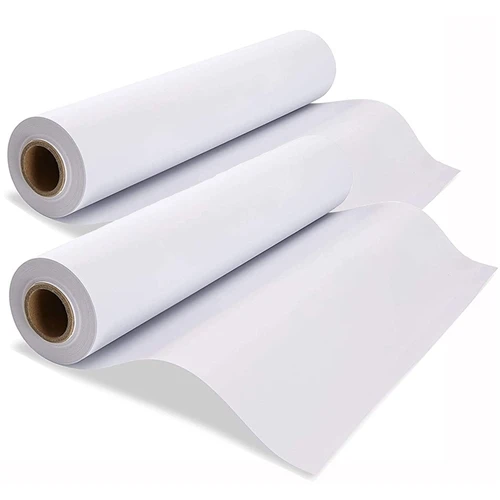
As a supplier of 100gsm A3 Sublimation Paper, I understand the frustration that ink bleeding can cause. Ink bleeding not only affects the quality of your prints but also wastes your valuable time and resources. In this blog post, I will share some practical tips on how to prevent ink bleeding on 100gsm A3 sublimation paper, ensuring that you achieve sharp, vibrant, and long - lasting prints.
Understanding the Causes of Ink Bleeding
Before diving into the prevention methods, it's essential to understand what causes ink bleeding. Several factors can contribute to this issue:
- Paper Quality: Although our 100gsm A3 sublimation paper 100gsm A3 Sublimation Paper is designed to have good ink - absorption properties, improper storage or manufacturing defects can affect its performance.
- Ink Compatibility: Not all inks are suitable for sublimation printing on 100gsm A3 paper. Using the wrong type of ink can lead to poor adhesion and bleeding.
- Printer Settings: Incorrect printer settings, such as print speed, ink density, and temperature, can also cause ink to spread on the paper.
- Environmental Conditions: High humidity and temperature can affect the drying process of the ink, leading to bleeding.
Choosing the Right Ink
The first step in preventing ink bleeding is to choose the right ink for your 100gsm A3 sublimation paper. Sublimation inks are specially formulated to bond with the polyester fibers in the paper during the heat - transfer process. Here are some tips for selecting the right ink:
- Check Compatibility: Make sure the ink is compatible with your printer model and the 100gsm A3 sublimation paper. Consult the ink manufacturer's guidelines or contact our support team for recommendations.
- Quality Matters: Invest in high - quality sublimation inks. Cheaper inks may contain impurities that can cause bleeding and affect the print quality.
- Test Different Brands: If you're unsure which ink to use, try testing different brands on a small piece of 100gsm A3 Sublimation Paper. This will help you determine which ink provides the best results in terms of color accuracy and bleeding prevention.
Optimizing Printer Settings
Proper printer settings are crucial for preventing ink bleeding. Here are some key settings to adjust:
- Print Speed: A slower print speed allows the ink to dry more evenly on the paper, reducing the risk of bleeding. Experiment with different print speeds to find the optimal setting for your printer and paper combination.
- Ink Density: Adjust the ink density to the recommended level. Too high an ink density can cause the ink to pool on the paper, leading to bleeding.
- Temperature: Ensure that the printer's temperature is set correctly. The heat helps the ink to sublimate and bond with the paper. Incorrect temperature settings can result in poor ink transfer and bleeding.
Proper Paper Storage
How you store your 100gsm A3 sublimation paper can significantly impact its performance. Here are some storage tips:
- Keep it Dry: Store the paper in a dry environment with low humidity. High humidity can cause the paper to absorb moisture, which can lead to ink bleeding. A humidity level of around 40 - 50% is ideal.
- Avoid Direct Sunlight: Exposure to direct sunlight can damage the paper's surface and affect its ink - absorption properties. Store the paper in a cool, dark place.
- Use Sealed Containers: If possible, store the paper in sealed containers to protect it from dust and moisture.
Pre - treating the Paper
In some cases, pre - treating the 100gsm A3 sublimation paper can help prevent ink bleeding. There are commercial pre - treatment solutions available in the market that can improve the paper's ink - holding capacity. Here's how to use them:
- Follow the Instructions: Read the instructions on the pre - treatment solution carefully. Apply the solution evenly on the paper using a spray bottle or a roller.
- Let it Dry: Allow the pre - treated paper to dry completely before printing. This may take a few hours, depending on the environmental conditions.
Post - printing Care
After printing, proper post - printing care can also help prevent ink bleeding. Here are some steps to follow:


- Heat - press Correctly: Use a heat press to transfer the ink from the paper to the final substrate. Make sure to set the correct temperature, pressure, and time according to the paper and substrate specifications.
- Cool Down Slowly: After heat - pressing, allow the printed item to cool down slowly. Rapid cooling can cause the ink to crack or bleed.
Comparing with Other Papers
It's also worth considering how 100gsm A3 sublimation paper compares with other types of sublimation papers, such as 120gsm A3 Sublimation Paper and 100gsm A4 Sublimation Paper.
- Thickness and Absorption: 120gsm A3 paper is thicker than 100gsm A3 paper, which may provide better ink - absorption and less bleeding in some cases. However, 100gsm A3 paper is more lightweight and may be more suitable for certain applications.
- Size Considerations: The choice between A3 and A4 size depends on your printing needs. A3 paper offers a larger printing area, while A4 paper is more convenient for smaller projects.
Conclusion
Preventing ink bleeding on 100gsm A3 sublimation paper requires a combination of choosing the right ink, optimizing printer settings, proper paper storage, and post - printing care. By following the tips outlined in this blog post, you can significantly reduce the risk of ink bleeding and achieve high - quality prints.
If you're interested in purchasing our 100gsm A3 sublimation paper or have any questions about preventing ink bleeding, we encourage you to contact us for a procurement discussion. Our team of experts is ready to assist you in finding the best solutions for your printing needs.
References
- "Sublimation Printing: A Comprehensive Guide", Print Industry Journal, 2022.
- "Ink Compatibility in Sublimation Printing", Ink Technology Review, 2023.
- "Paper Storage Best Practices for Sublimation Printing", Paper Science Magazine, 2021.